
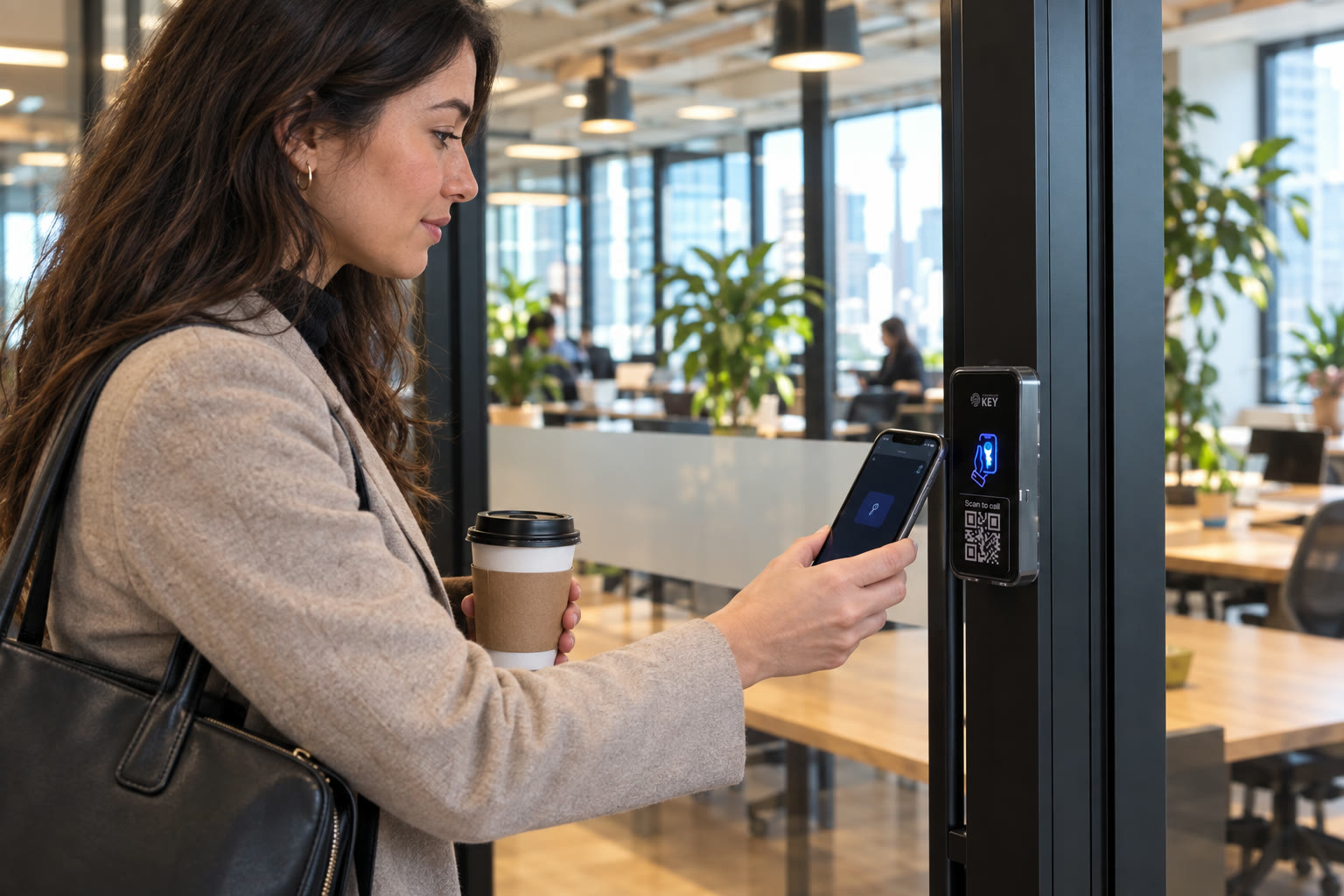
Access control systems · Toronto & GTA
Access control systems. Toronto & the GTA.
Give regular users a Wallet key or supported NFC card, arrange limited guest permissions and review recorded access activity. We assess the doors before agreeing the installation scope in Toronto and the GTA.
In short
What is an access control system?
For business owners, property and facility managers
An access control system manages permission for particular doors and times. SmartphoneKey readers recognize supported Wallet keys and NFC cards, then use a relay to control suitable electric locking hardware. Administrators issue, limit and remove permissions through the portal. Activity records describe credential interactions; they do not independently identify a person holding a borrowed key or prove everything that happened inside.
Put the entrance on paper
Tell us what this door should let people do.
Tell us which doors you want on the system and who uses them. The door check comes first; cost follows.
List doors and administrators
Identify who needs entry and who maintains permissions.
Connect the access plan
Assess the reader, powered release and property requirements.
Review the complete scope
Agree configuration, handover and continuing package charges.
Example, not a completed project
One front door, two different working areas.
Picture a workplace with a common entrance and a separate stockroom. Most colleagues need the first opening, while an approved group also needs the second. Start by explaining those groups and the people who authorize changes. The installer can then assess the equipment serving each door rather than assume both should behave alike. This is a planning illustration, not a customer installation, and it does not establish that a workplace database automatically keeps either permission current.
Your first-project worksheet
Bring a useful brief. Leave with a scoped proposal.
You do not need to order a reader before describing the problem. These details help connect the people using the entrance with the work and handover the proposal should explain.
What to bring to the conversation
- Name the first door and the groups relying on it. Explain a typical arrival and one change that currently creates work. Approximate user numbers and practical examples can establish the discussion without sending personal credential data before the installation has been scoped.
- Identify the approving property contact and any landlord or management boundary. A business may control an internal room while sharing the outer entrance with other occupants. Include that distinction early so the proposal does not quietly assume authority over an opening outside your control.
- Show the existing release and describe known operating problems. Include an old reader or visitor panel in the inventory, but keep its function separate from the lock itself. The assessor must establish what can be retained rather than infer reuse from a photograph of the visible device.
What the proposal should make understandable
- Look for the actual openings covered, retained and new hardware, supply and cabling requirements, connection choice and any excluded work. Two proposed readers can involve different door conditions. A complete scope explains those differences instead of leaving the equipment quantity to stand for the whole job.
- Agree who will issue and withdraw credentials and how that person receives an approved change. Ask for a walkthrough of the intended permission process and ordinary entry. Record an untested requirement as open; one demonstration credential does not establish the state of every user or room.
- Keep continuing charges, operating contacts and the explained fallback with the handover information. Review what an activity event actually records and who may use the administrative history. The records can inform the operating process without being described as a complete identity or attendance system.
From permission to a physical opening
Four parts of a controlled entrance.
Identify the part responsible for each job. A credential, permission rule, reader and locking mechanism are connected, but they are not interchangeable.
The credential identifies an access permission
SmartphoneKey documents keys carried in Apple Wallet or Google Wallet and its own NFC cards. Choose how different users receive their credentials. A token used by another system is not automatically compatible simply because it is also called a card or fob.
The rule limits its purpose
Decide the authorized doors and relevant period. A guest permission may have a defined start, finish and use limit. A weekly lock schedule serves a different purpose from deciding whether one particular visitor remains approved.
The reader controls suitable hardware
The product uses a relay to operate an appropriate electric lock. Establish the actual locking arrangement, low-voltage supply and cable route at the entrance. Permission management cannot correct an opening whose latch or closer does not work properly.
The administrator maintains the arrangement
Staff changes, lost credentials and cancelled visits need to reach someone who can update the portal. Activity records concern door interactions; administrative audit records concern management changes. Agree which people require those responsibilities rather than sharing one administrator account by habit.
Credential, relay and management functions follow the SmartphoneKey product materials. The door-project worksheet below helps describe an installation requirement; it is not a completed customer job or a guarantee about unassessed hardware.
Where it fits
Property guides.


Start at the actual opening
Show us the lock and the everyday arrival.
Bring the current entrance arrangement and one practical change you want to make. It might be an employee joining, a cleaner needing a limited visit or a room whose permission should stay restricted. The assessment connects those needs to the existing release, supply, cable route and connection. Include the responsible property contact so retained equipment and proposed alterations can be discussed together. A reader on its own is not the complete installed arrangement.
Is it the right fit?
Does this match the way your property changes?
Useful when access needs an operating owner
- People join and leave often, and keys or fobs keep going missing.
- You run more than one door or more than one site.
- You want recorded credential activity and a separate history of administrative changes.
Confirm these dependencies before choosing
- You need access created automatically from HR, membership or booking software. That link isn’t confirmed.
- A door can’t take an electric lock and low-voltage power.
Before the access list grows
Get the doors and responsibilities clear first.
Ask how the proposed arrangement handles ordinary users, a changed permission and the real entrance. A clear answer is more useful than an unexplained reader count.
Which part decides who may use a door?
The access configuration associates people or credentials with authorized locks. Have the responsible administrator explain that configuration at handover. The fact that several doors appear in one portal is not a reason to give every user access to every opening.
How does a missing phone affect entry?
An unpowered or missing phone should be part of the property’s fallback plan. Do not rely on dead-phone unlocking. Consider the documented card option and how an authorized alternative is made available without casually sharing another person’s permanent credential.
Can the same system operate several sites?
The documentation describes grouping locks by site and assigning local administrators. Confirm the actual grouping and role boundaries in the proposal. Administration at one location should not become accidental authority over another.
What should an outage assessment establish?
Review power to the reader and lock, the configured locking behaviour and the agreed way people leave. Ask which connection-dependent operations remain available. A general product feature does not establish the fallback at an individual entrance.
Does a permission log establish a complete identity record?
It concerns the recorded credential interaction. A shared or borrowed credential limits what can be inferred about the person holding it. Explain record use and administrator visibility rather than treating a door log as a complete account of someone’s movements.
Can a leased office authorize this work alone?
Identify the party responsible for hardware alterations and any common entrance. A business using a suite may need the landlord or building manager involved. Confirm that boundary before finalizing equipment or installation timing.
What should we demonstrate for a restricted room?
Agree which users should reach it and review the intended permission with the responsible administrator. Include a case that should no longer be authorized where appropriate to the handover. Keep the result tied to the actual configuration and opening being checked. A successful entry at the public entrance does not prove the stockroom has the same access boundary.
Do we need an employee directory for the first conversation?
No private directory is needed for this preview. Bring approximate groups, the proposed openings, normal operating hours and the person approving access changes. An illustrative arrival or departure can explain the requirement. Detailed enrollment arrangements can be agreed after the equipment and administration scope are understood.
Plan by location
Your property. Your next step.
Next step
Start with one door.
Tell us which doors you want on the system and who uses them. The door check comes first; cost follows.
Request a door checkCompare the whole first-door project
Ask for retained equipment, proposed lock and reader work, power, wiring and connectivity. Include credential setup, administrator instruction and continuing package charges. Keep any additional opening or unverified software dependency outside the claimed scope until it is assessed and confirmed.
Identify the Toronto/GTA premises contact who can show the entrance and relevant equipment spaces. Discuss the first phase and ordinary arrival routine before confirming the visit and installation arrangements. This preview reserves no appointment and sends no access invitation.