
Smart door locks · Toronto & GTA
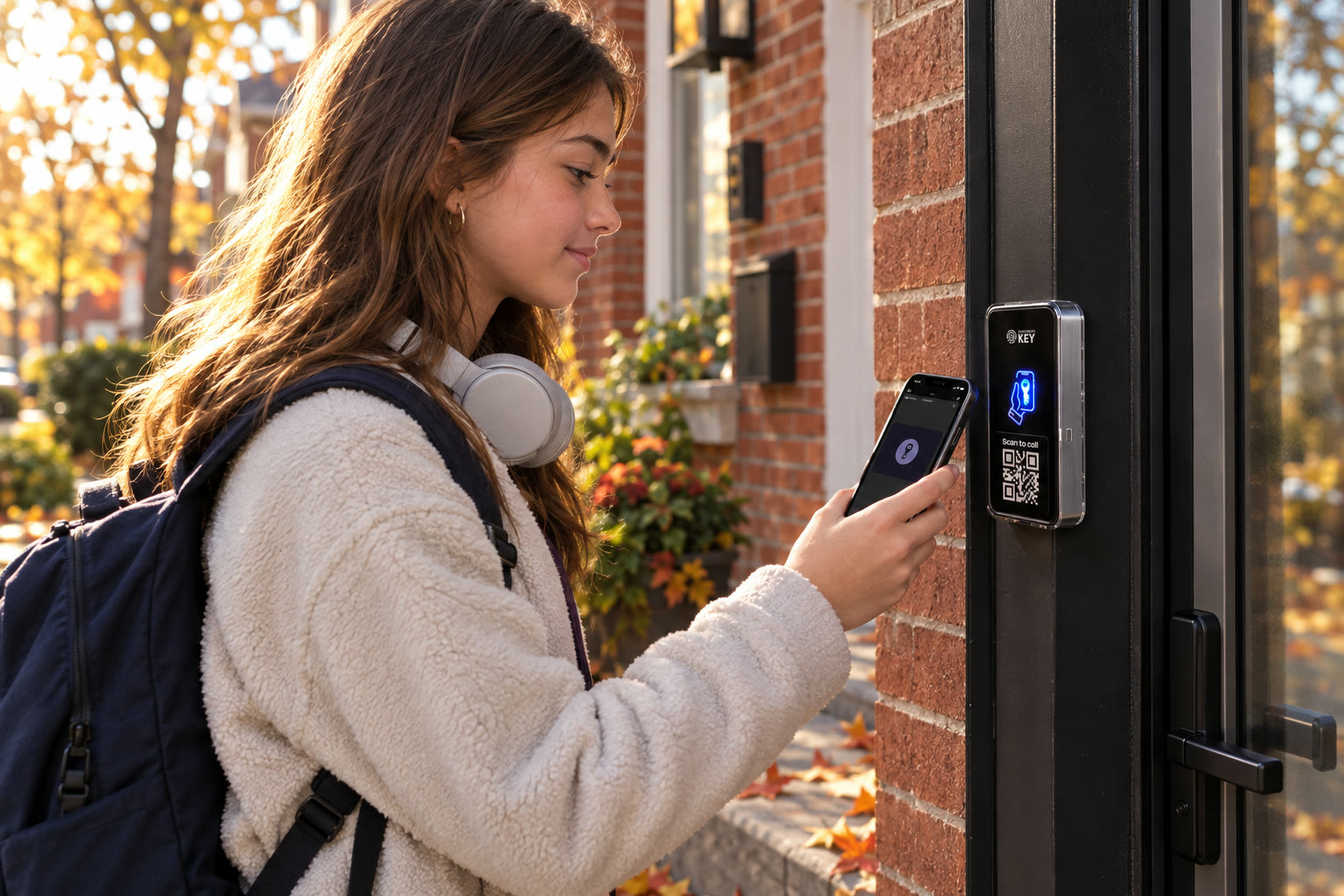
A smart door lock that opens from Wallet.
Bring phone and supported card access to a suitable powered entrance. Keep regular household permissions separate from short visits. We assess the opening before agreeing the reader, locking equipment and installation scope in Toronto and the GTA.
Start with the lock you have
What would a better arrival look like here?
Tell us about the door and who uses it. The door check comes first; the cost follows, before any work.
Explain the door you have
Identify its latch and the entry change you want.
Assess the powered arrangement
Check reader placement, lock suitability and electrical work.
Compare the installed proposal
Include credential choices, fallback and ongoing costs.
In short
What kind of smart lock is SmartphoneKey?
For homeowners, landlords and small businesses
The proposed SmartphoneKey arrangement uses a reader beside the entrance and suitable electric locking hardware. It differs from buying a battery-powered replacement deadbolt. Supported Wallet keys or NFC cards provide the credential; the assessed lock and power arrangement do the physical work. Compare that complete setup with the door you have and the permissions you want to manage.
Example, not a completed project
A household key and a helper's appointment have different purposes.
Picture a household where regular occupants keep continuing access while an approved helper needs entry for a particular visit. Describe those two purposes alongside the present lock. The proposal can then connect the credential choices to the physical work and the person maintaining changes. This is an illustration of a purchase brief, not a customer home, an automatic scheduling connection or proof that a reader can replace the existing lock without conversion.
Your smart-entrance comparison
Choose the arrangement that fits the opening and the people.
A useful comparison goes beyond how a device looks beside the door. Bring the required result and ask how the proposed hardware and administration would deliver it.
Describe the result before the product
- Explain who needs regular entry and who comes for a specific purpose. A household member, recurring helper and one-time tradesperson need not receive the same permission. Name who can approve a change and who will apply it when the visit or household arrangement changes.
- Identify any particular credential or connected function on which the purchase depends. Keep a consumer brand's keypad, fingerprint or automation feature attached to that model's documentation. A general smart-lock search does not show that the same method is part of this reader proposal.
- Show any additional opening on the route and explain its ownership. A private entrance, shared lobby or separate gate can have another responsible party. The comparison should identify the opening actually being assessed instead of treating the property address as one interchangeable door.
Check what the proposed work includes
- Ask which existing mechanism remains and which electric release, supply and wiring work is proposed. The reader and the lock have different jobs. Keep the physical conversion visible so the apparent simplicity of presenting a phone does not hide work needed at the actual assembly.
- Review supported phone and card options, first-user instructions and the administrator's job. Ask for the agreed fallback for the installed arrangement. A missing phone, lost credential and unavailable supply are separate questions; one alternative method should not be treated as evidence for every failure case.
- Compare installation scope, ongoing package charges and operating handover together. Keep an unconfirmed feature or additional approval explicit. The finished purchase decision should describe the proposed entrance and its responsibilities rather than rely on a feature name or one demonstration tap.
Read the product category carefully
A smart-lock search can describe different jobs.
Use the entrance you have to narrow the comparison. The credential on the outside and the mechanism holding the door shut need separate consideration.
Replacing a lock body
Some retail smart-lock searches concern replacing a familiar deadbolt or handle set. SmartphoneKey’s documented reader is a different part of the entrance. Establish what will physically hold and release your door before assuming the products are interchangeable.
Adding managed access
A reader can recognize approved phone or NFC credentials and control appropriate powered locking hardware. That approach is useful to evaluate when permission needs to change between people or visits. It still depends on an assessed opening and a responsible administrator.
Keeping other equipment
Bring the existing lock and any access equipment into the survey. Do not infer compatibility from a shared label such as NFC, smart or keyless. Ask the installer to identify exactly which parts remain, which change and which functions the final configuration supports.
Comparing the installed arrangement
Include equipment, door conversion, supply, wiring, connection and continuing package requirements. A low device price does not describe the work needed at an unfamiliar entrance. Obtain the scope and timing for the property before deciding.
SmartphoneKey materials describe a reader controlling suitable electric locking hardware and supported digital credentials. These buyer questions do not certify a consumer deadbolt, retrofit kit or an unfamiliar door assembly.


Look at both sides before choosing
Compare the whole entrance, not just its visible reader.
Show the latch or powered release, frame, inside handle and any current controls. Explain whether you are comparing a consumer replacement lock or an installed reader arrangement. Include the power and connection discussion and identify who can approve the work. That gives the assessor a practical starting point for deciding what stays, what changes and which requirements remain unanswered before a proposal is accepted.
Is it the right fit?
Does the reader-and-lock approach match this entrance?
Useful when the installed arrangement can be assessed
- Several people, sitters or trades use the door.
- You want defined guest permissions and recorded credential activity.
- You’re happy to have an electric lock and power installed.
Check the required ownership and hardware conditions
- You want a lock you fit yourself, with no wiring.
- You rent and the owner or building hasn’t approved changes to the door.
Before choosing a smart-lock category
Make sure the proposed arrangement answers your actual need.
The same search phrase can describe very different hardware. Ask what will be fitted and what users and administrators will do with it afterward.
Can the reader replace any home deadbolt?
No universal drop-in replacement is established. The proposed reader operates suitable electric locking hardware. The assessor needs to determine whether that arrangement can be fitted to the opening and what other work belongs in the proposal.
Are fingerprints and keypad codes included?
Those functions should not be inferred from the general smart-lock category. Confirm the exact equipment and documented credentials instead of using the feature list of a different manufacturer.
Does a phone credential work without charge?
A promise of dead-phone entry is not supported here. Discuss a practical alternative credential and an actual fallback route with the installer. Decide how a household member or authorized user can obtain help when their usual device is unavailable.
How should we evaluate security claims?
Ask about authorized doors, permission removal and the actual lock arrangement. Product labels alone do not describe the security of the installed entrance. Include administrator responsibilities and the use of shared credentials in the discussion.
What happens during a power interruption?
The answer depends on the selected locking hardware, supply and configuration. Establish both authorized entry and safe exit with the responsible assessor. A spare card does not restore power to equipment.
Can an apartment occupant choose this independently?
They may not control all the necessary doors or alterations. Separate the private-unit proposal from common entrances and ask the responsible owner or building manager about the planned changes before arranging work.
How is this different from comparing two replacement deadbolts?
The visible reader is separate from the electric release it controls. Ask which existing lock parts would remain and what supply, cabling or conversion is proposed. A consumer replacement lock has its own model-specific fit and feature requirements. Compare each complete arrangement against your entrance rather than assume the same installation follows from both being called smart locks.
What should a household keep from the operating handover?
Ask for the supported credential methods, the person maintaining permission changes, the explained fallback and help contacts, alongside the installed scope and continuing charges. Keep any unfinished question visible. A successful demonstration should introduce a repeatable routine the household understands, not stand for every future visit or device condition.
Next step
Start with your front door.
Tell us about the door and who uses it. The door check comes first; the cost follows, before any work.
Request a door checkCompare the installed entrance with the device price
Include retained hardware, the proposed electric release and reader, supply, connection and any required door work. Add credential setup, instructions and continuing package charges. A particular consumer feature or third-party connection remains an open requirement until confirmed for the actual proposal.
For a Toronto/GTA discussion, arrange a contact who can show the opening and clarify its ownership. Bring an existing model name if known without private codes or account access. Assessment comes before an agreed equipment commitment or installation appointment.