
All features · SmartphoneKey
Everything the reader and the portal can do.
Keys, visitors, people, records, devices and the admin portal, from SmartphoneKey’s own materials. Some features depend on the subscription package.
From catalogue to property brief
Which tasks should the system support?
Describe your entrance.
Choose the required capabilities
Explain the tasks rather than assuming device compatibility.
Match them to the property
Check the door, credentials and intended administration.
Confirm the selected package
Review included equipment, continuing charges and training.
Every feature
Six groups. One admin portal.
Keys
Every kind of key a door needs.
Keys
Apple Wallet & Google Wallet keys
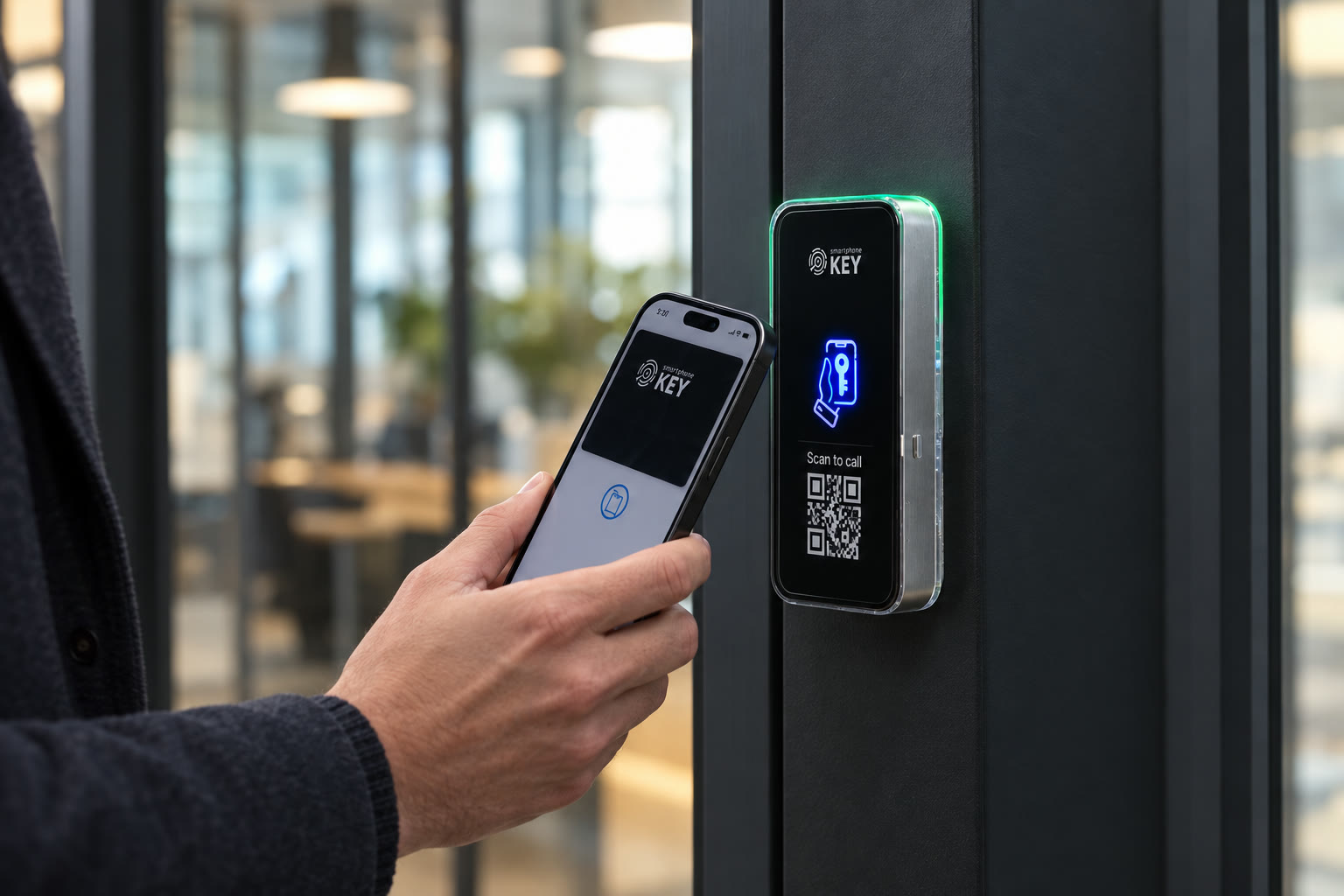
For a supported phone, everyday arrival can use an issued credential in Apple Wallet or Google Wallet. Present the phone to the reader; a separate entry app is not needed for that documented route.
Keys
Guest keys with start and end times
A visitor permission can have a defined opening window, a use limit or an associated email address. Decide those conditions when issuing it rather than leaving a temporary visit with an open-ended credential.
Keys
One-use keys
The documented single-use option is intended for one opening, such as a scheduled service visit. Arrange who will assist if the visitor needs to return after that use has been consumed.
Keys
NFC key cards
A supported physical NFC card provides another credential choice when a phone is unsuitable. The administrator maintains card permissions through the portal; a card does not supply power to the entrance hardware.
Keys
One key, several doors
One issued credential may include several assessed locks. List the intended entrances individually, such as the shared lobby and an internal room, so permission does not silently extend to unrelated doors.
Keys
Weekly lock schedules
Weekly settings define when a lock accepts credentials on each day. Agree the opening pattern and synchronise the schedule; a timetable still needs an administrator when operating hours change.
Keys
Keys reach offline locks
The described issue process leaves a new key pending while its target lock is offline, then delivers it after reconnection. Pending delivery is not confirmation that someone can already use that permission.
Keys
Phone access by app
The mobile application is a documented alternative for assigned phone access. Select the intended entry route during setup instead of assuming that an app permission and a Wallet credential are interchangeable in every arrangement.
Visitors
People without a key can still get in, with your say-so.
Visitors
QR intercom at the door
Scanning the reader's QR code starts a browser-based request for entry. Identify the person who should receive that request and the response procedure; scanning alone does not approve the visitor or release the entrance.
Visitors
Extra QR stickers
The stated box contents include two additional QR stickers. Choose visible positions for visitors and check that each sticker leads to the intended entrance request before relying on it for arrivals.
People & sites
Run one door or many buildings from one place.
People & sites
Remove a key or deactivate a person
Administrators can remove an individual key or deactivate a person, including that person's portal sign-in. Check the resulting permission state and any connection issue rather than promising a fixed revocation time at every lock.
People & sites
One-tap actions
Dashboard shortcuts cover issuing access, creating a guest key and removing permission. Counts of locks, keys and people help organise administration; they do not count everyone physically present in a building.
People & sites
Sites and buildings
Organising doors and users by site or building keeps a multi-property account navigable. Decide which entrance belongs to which location before distributing credentials across a portfolio.
People & sites
Local admins
A site manager can receive a local administration role and an allocation of Wallet Keys to issue. Agree the intended site and delegation before handover so responsibility follows the property arrangement.
People & sites
People directory
The documented directory supports searches using name, email, phone, unit or licence plate, with unit matches prioritised. Keep those records current; a matching directory entry is not independent proof of someone's identity.
People & sites
Bulk import
Larger subscription packages describe importing people from CSV or Excel. Confirm the selected package and prepare the intended records before choosing a bulk workflow for a move-in or staff change.
Records & control
Review credential events and administrator changes.
Records & control
Activity log
Use activity filters for a particular lock, credential user, event type or date when investigating a reported interaction. An accepted credential event does not establish who followed through the doorway or everyone inside.
Records & control
Audit log
The administrator trail records permission changes, including the issuer, recipient and time. Consult it to review an account action rather than treating it as a complete record of physical movement.
Records & control
Notifications
Portal settings allow selection of event notifications. Assign someone to review the relevant alerts and agree the response; enabling a notification does not itself resolve an entrance problem.
Records & control
Installer access you approve
An installer can request temporary permission for named locks, subject to the owner's approval and chosen period. Review that scope before granting it, then confirm the temporary arrangement has ended as intended.
Doors & devices
The hardware side: locks, network, cameras and smart home.
Doors & devices
Live lock status
An online or offline indicator describes the lock's reported connection state. Use it when investigating service, while separately checking the latch, power and physical entrance; online status alone does not prove the door will open.
Doors & devices
Wi-Fi or built-in LTE
The hardware choice includes a Wi-Fi model and an LTE model using a SIM. Assess the actual network or mobile coverage at the mounting position, and confirm the connection arrangement for the selected equipment.
Doors & devices
Cameras and camera roles
The materials describe live camera viewing through ONVIF-compatible equipment and camera-specific permissions. Check the proposed camera combination and decide who may view it before including that capability in the scope.
Doors & devices
Matter hubs and devices
Matter support covers managing compatible hubs and devices through the portal. Bring the particular sensor or hub requirement to the assessment; the standard's name alone does not verify the proposed combination.
Doors & devices
Your electric lock
The reader includes relay control for an electric strike or magnetic lock. Select the locking arrangement after reviewing the door, power, wiring and required exit behaviour rather than choosing from the feature list alone.
The admin portal
Where it all happens.
The admin portal
Admin portal on any device
The management portal runs in a browser on a computer or phone, with documented email, Google and Apple sign-in routes. Name the people who will administer the account separately from those who only need door access.
The admin portal
Six languages
English, French, Spanish, German, Ukrainian and Greek are the documented portal languages. Agree a suitable administration language for handover; language availability does not establish a separate local support commitment.
Match capabilities to the property task
Questions behind a useful feature shortlist.
Use the documented functions with clear package, equipment and administration boundaries.
How should I decide which capabilities belong in the proposal?
Begin with the property task: regular entry, a limited visit, a visitor request or an administrator change. Identify the responsible people and relevant doors. Compare the documented capabilities against that brief rather than treating every item on the feature list as a necessary part of the installation.
Is every portal function included in every package?
The product materials describe package-dependent functions. Confirm the selected package and quantities, together with any guest, visitor, camera or device requirements you intend to use. Ask the proposal to distinguish what is included from optional or continuing charges.
Which existing devices or software connections need separate checking?
Bring the specific reader, credential, camera, hub or software requirement to the discussion. A standard such as Matter or ONVIF does not establish that the complete intended arrangement has been verified. The equipment combination and selected package still matter.
What is the difference between an activity event and an audit entry?
An access interaction helps investigate a reported credential use. The administrator trail concerns actions such as changing permission. Use the record that matches the question; neither proves every physical arrival, the people accompanying a user or what happened inside.
Who should receive management and record-review responsibilities?
Identify who will issue credentials, maintain changes and review relevant records for the property. Discuss the documented site and local-administrator options in that context. Agree the intended scope and information-handling routine during handover instead of relying on an informal shared administrator sign-in.
How does everyday phone entry differ from administration?
The documented entry route uses a supported Apple Wallet or Google Wallet credential at the reader. The person managing access uses the portal to maintain permissions. A convenient arrival method does not remove the need to decide who administers new users, departures and lost credentials.
Does changing a subscription, reservation or employment record update the key?
An automatic connection to those business systems has not been confirmed. Assign the intended access update to an administrator unless the particular integration is established. The business decision and the resulting door permission should both be checked when an arrangement changes.
What should be checked when the intended phone or connection cannot be used?
Discuss supported credential alternatives, the documented Wi-Fi or LTE arrangement and the actual entrance hardware. A card is another credential, not a supply for an electric lock. Confirm assistance, the selected lock behaviour and the operating procedure for an interrupted arrival.
Next step
Which of these does your door need?
The door check covers the door, the lock and the features that fit how you use it.
Request a door checkAn agreed feature shortlist
The proposal should identify the chosen entry methods, visitor response, administrator duties and record needs, alongside compatible equipment and the selected subscription. Separate confirmed functions from combinations still needing a check.
Provide the Toronto or GTA property location and confirm assessment availability before arranging a visit.