
Keyless entry systems · Toronto & GTA
Keyless entry. The key is a phone.
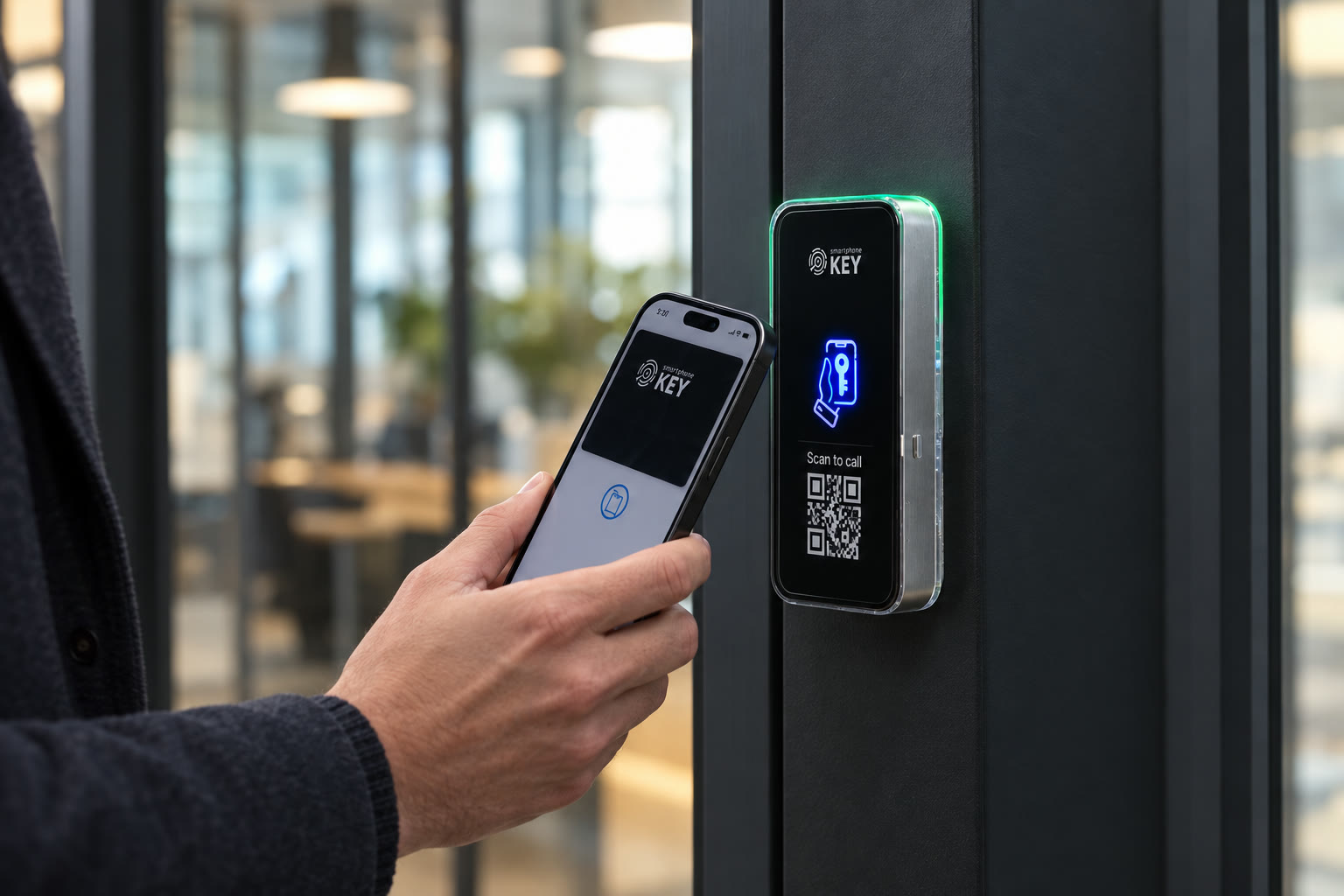
Use a supported Wallet key or SmartphoneKey NFC card at a reader beside the entrance. Give an approved guest the intended permission window. We assess the door, power and connection before agreeing installation in Toronto and the GTA.
Make the key handover easier
Who needs regular entry, and who is just visiting?
A door check confirms the lock, power, cable route and Wi-Fi or LTE. Cost comes after it, before any work.
Describe keys used today
Include shared copies and the people needing replacements.
Compare the credential routes
Assess supported phones, product cards and door equipment.
Plan the key changeover
Agree first users, revocation and the installation proposal.
In short
How does a keyless entry system work?
For owners and managers of homes, rentals and businesses
Keyless entry changes the credential used at the door. With SmartphoneKey, a supported phone key or NFC card is recognized by a reader whose relay controls suitable electric locking hardware. An administrator manages the permission and its limits. Recorded activity concerns that credential interaction, not independent proof of the holder's identity or everything a visitor did after arriving.
Example, not a completed project
The cleaner's visit changes while the regular user keeps their key.
Imagine an approved cleaning appointment moving to another day while the household or staff keep their normal access. The visit change needs to reach whoever maintains its permission. The regular user's continuing credential is a different decision. Use this distinction to explain the intended issuing and cancellation routine rather than lend one unrestricted key for every purpose. This is an illustrative operating example, not a booking integration, a customer schedule or proof that a calendar change updates access automatically.
A practical keyless changeover
Choose the method, explain it and maintain it.
Think through an ordinary arrival, a short visit and the day a permission should end. Those situations help turn the idea of fewer metal keys into a workable arrangement for the property.
Make the new method usable
- Agree the supported credential for each regular group. Include the product-specific card option for someone who does not choose phone entry. A person's device preference should have an understood place in the proposal instead of becoming a reason to borrow another user's permanent credential.
- Explain where the reader is and how users present the intended key. In premises with several doors, clear instructions should identify the authorized route and assistance contact. The ease of one installer's demonstration does not establish that an unfamiliar person will find the correct opening unaided.
- Describe how an expected guest receives the approved permission or reaches an agreed recipient. Choose limits that match the visit and explain what happens if the appointment changes. A guest's first arrival should not depend on guessing whether a previously shared key is still appropriate.
Keep the change manageable afterward
- Name who receives a lost-credential report or instruction to end access. Make sure the person applying the change can distinguish the affected permission from other users who should continue entering. Issuing another object or pass does not itself demonstrate that an earlier authorization has been reviewed.
- Ask for the actual fallback and exit arrangement to be explained for the assessed entrance. A missing phone, an unavailable connection and loss of power are different conditions. Keep an unanswered case visible rather than assuming a physical card or a familiar lock label resolves every possibility.
- Compare the door conversion, reader, supply, wiring, connection and credential handover with any continuing costs. Record what remains of the old arrangement and who explains it to users. The goal is a repeatable entry routine the property understands, not simply a different object presented at the same door.
What keyless actually changes
Compare the way permission is carried.
Removing a metal key from one interaction does not identify one universal lock technology. Look at the actual credential and release arrangement being proposed.
A personal phone credential
The published SmartphoneKey approach includes Wallet keys. Check the supported device and issuing process, then show the user how the credential meets the reader. Do not assume a phone that can browse a website necessarily supports every proposed access interaction.
A physical card
An NFC card gives the user a tangible credential while keeping permission managed in the portal. Include issuing, loss reporting and removal in the operating plan. A card remains a credential to protect, rather than a way to avoid responsibility for an access list.
A visit-limited key
Guest permissions can be bounded by time and uses. Match those limits to the reason for entry. The person arranging the visit must still cancel or amend permission when the plans change; the reader does not independently know about an appointment elsewhere.
The hardware behind the interaction
SmartphoneKey is a reader-and-electric-lock arrangement. A keypad, fingerprint reader and replacement deadbolt describe different product choices. Establish the actual existing door and conversion scope before comparing an installed reader with a retail lock photograph.
The product materials support Wallet credentials, SmartphoneKey NFC cards and managed guest limits. The changeover worksheet organizes the property's routine; it does not add a keypad, biometric method or unverified booking connection to the proposal.


Look at the handover as well as the hardware
Plan a first use people can understand.
Explain where regular users arrive, who lends keys today and which short visits cause extra coordination. The physical assessment establishes the release, reader position, supply and connection. The operating discussion should establish supported credential choices, first-use instructions and help when a person's intended method is unavailable. A more convenient key needs a clear issuing and withdrawal process alongside the door work.
Is it the right fit?
Would this make the property's key routine easier to maintain?
Useful for distinct regular and temporary permissions
- Keys get copied, lost or handed back late.
- Guests, cleaners or trades need access for a set time.
- You want to review recorded credential activity while keeping its limits clear.
Establish the physical arrangement first
- You want a battery lock you fit yourself in an afternoon. This setup needs an electric lock, power and wiring.
- The door can’t take an electric lock.
Before replacing the shared-key routine
Make the first visit and the next change easy to explain.
A good credential plan covers the person using the door and the person maintaining permission. Review both with the entrance arrangement that is actually proposed.
Is keyless entry necessarily a number code?
No. The term covers different approaches to avoiding a conventional metal key. This proposal is based on documented phone and card credentials; a numeric keypad should not be promised unless the exact equipment and feature have been established.
Can someone choose a card instead of a phone?
The product includes its own NFC-card option. Confirm how the proposed package issues and manages those cards. People who do not want phone-based entry should have an agreed method rather than borrow an unrestricted credential from someone else.
What if permission needs to stop before its planned expiry?
An administrator can remove access through the documented portal. Establish who is available to make the change and how they learn about it. A preset end time does not replace the ability to handle an early cancellation.
Does keyless mean there is no wiring?
That conclusion is not supported. The reader needs suitable power and control connections to the assessed electric locking hardware. The door survey should identify the cable route and any existing equipment that can actually be retained.
How do we plan for a drained battery or failed supply?
Treat them as different cases. A card may offer a credential alternative, while loss of power affects equipment at the entrance. Agree the actual response and exit arrangement rather than assume one backup covers every failure.
Who must approve a change at a rented or shared door?
Involve the party authorized to alter that opening. A private room, leased suite and common lobby may be controlled by different people. The convenience of a keyless method does not resolve those approval boundaries.
Who should explain the first credential to a new user?
Agree that responsibility as part of the operating handover. The person should understand the supported method, intended reader and assistance route. A new user needs instructions relevant to this property, not another person's unrestricted key or an assumption that every product called keyless works the same way.
Should a changed appointment alter every regular user's access?
Describe the particular visit and who is authorized to change its permission. A temporary purpose and a continuing household or staff credential are separate decisions. Ask the administrator to demonstrate the intended routine for the proposed configuration; this page does not establish that a booking platform performs it automatically.
Next step
See what your door needs.
A door check confirms the lock, power, cable route and Wi-Fi or LTE. Cost comes after it, before any work.
Request a door checkCompare the credential routine and the installed work
Include the assessed release and any conversion, the reader and supply, connection choice, supported phone/card methods and first-user instructions. Show continuing charges and who maintains visitor changes. An unverified entry method or software link should remain an explicit unanswered requirement.
For the Toronto/GTA discussion, identify a contact who can show the current key routine and both sides of the opening. Agree the physical and operating scope before installation timing is confirmed. This local preview sends no credential and books no changeover.